Drive BeeRanked with AI
BeeRanked speaks MCP (the Model Context Protocol), the open standard that lets AI agents use external tools. Point your own AI agent at your BeeRanked workspace and it can research, draft, optimize, and publish content for you, running on your own model, with no extra AI cost from us.
What it does
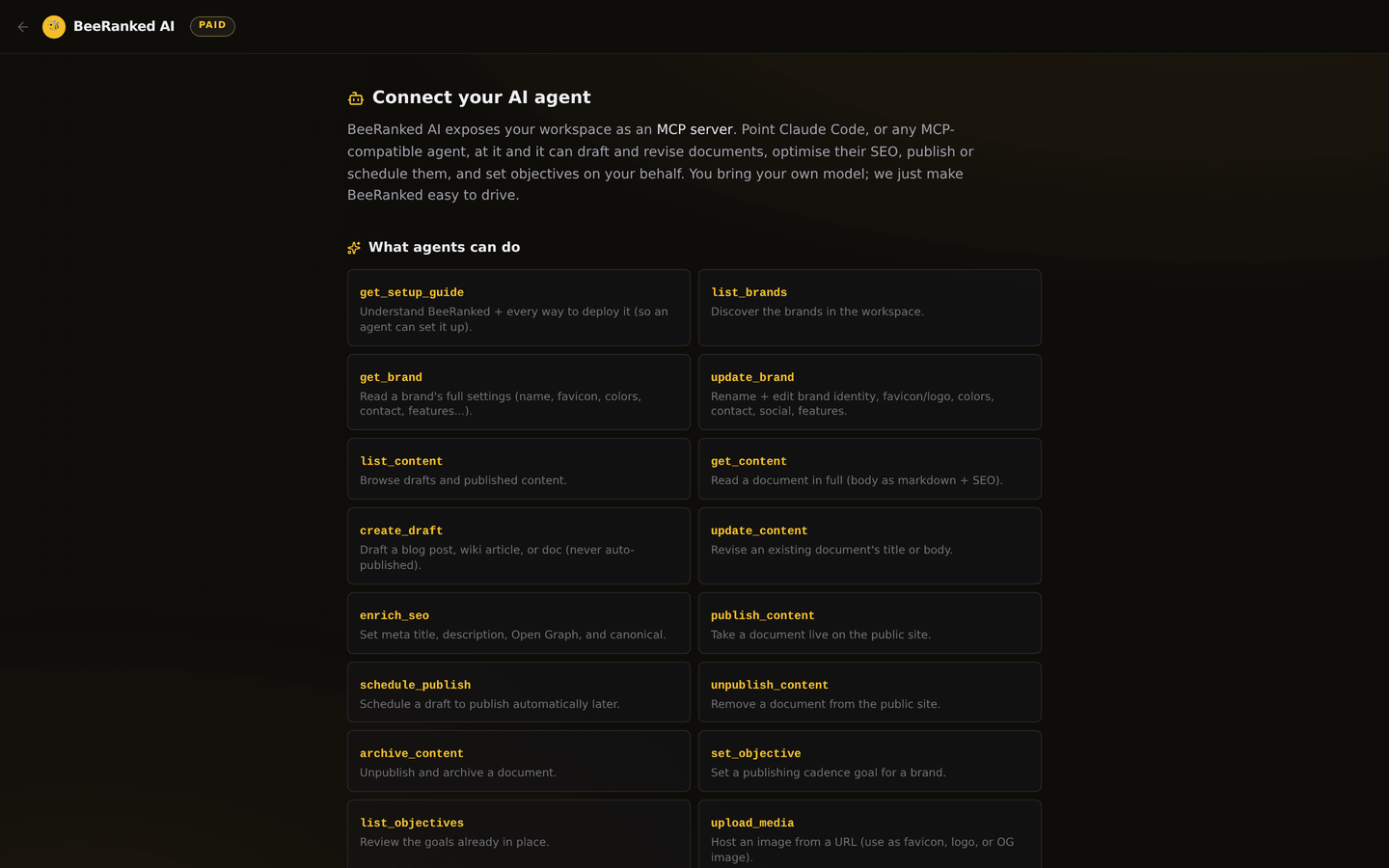
Connect an agent (Claude, or anything that supports MCP) and it works your workspace through a set of safe, named tools that cover the whole content lifecycle:
See what exists,
list_brands,list_content, andget_contentto read any page in full.Write,
create_draftfrom a prompt or outline, andupdate_contentto revise.Optimize for search,
enrich_seoto set the meta title, description, Open Graph image, and canonical.Organize and aim,
set_objectiveto give the workspace a publishing goal, plus categories and redirects.Ship,
publish_contentto take a finished draft live, orschedule_publishto queue it for later.
Because it runs on your model (bring your own LLM), you are not paying us per token. You pay for your own AI, and BeeRanked is the engine it drives.
Get connected
Open Developers in the Studio and create an API key. Keep it secret, it grants access to your workspace.
Point your MCP client at the BeeRanked MCP endpoint and give it the key.
Ask your agent to list your brands to confirm the connection, then put it to work.
Any MCP-capable client works: an IDE assistant, a terminal agent, or a custom script built on an agent SDK. If it speaks MCP, it can drive BeeRanked. For a worked example with a real client, see Connect your AI agent to your website with MCP.
Safe by design
One rule: an agent never publishes anything on its own. create_draft always produces a draft a human reviews and publishes. An agent can prepare a week of content in minutes, and you decide what goes live. Publishing is always a deliberate step, taken by you or by a tool you explicitly call. Your API key is scoped to your own workspace, so an agent can never reach another tenant's content.
A good first workflow
Hand your agent a list of topics your customers search for. Have it draft a post for each, enrich every one for search, assign categories, and leave them all as drafts. You skim them in the Studio, fix anything that needs a human touch, and publish the ones you like. The agent does the volume; you keep the judgment.
Writing content this way pairs naturally with answer engine optimization: structured, answer-first pages are what AI assistants quote. Building on top of BeeRanked yourself? See Add Domain Connect to your SaaS and How to build a plugin.
Want to try this on your own site?
Everything in this guide runs from one studio: connect your domain, publish, and the SEO side is done for you.