Publish your first page
This walkthrough gets a page live. It takes about five minutes and covers the whole loop: create, write, optimize, preview, and publish. Everything starts as a draft, so you can experiment freely and nothing goes public until you say so.
Create a draft
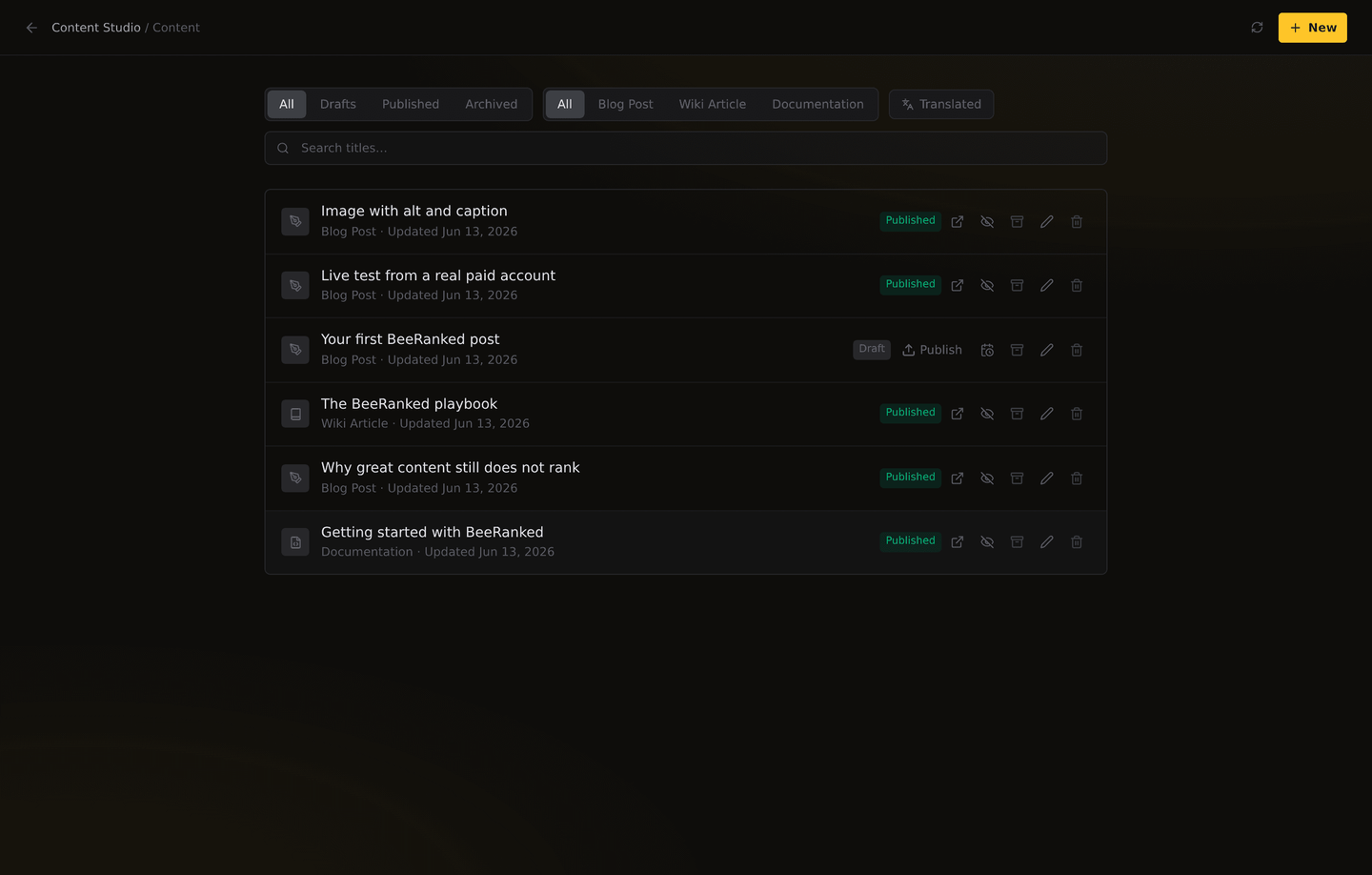
Open Content and click New, then choose what you are making:
Blog post for news, guides, and articles. The everyday workhorse for SEO.
Wiki article for reference pages, with an optional infobox and citations.
Documentation for product or developer docs with a grouped sidebar (this page is one).
Give it a title and you are in the editor.
Write
The editor is clean and familiar. A few things worth knowing:
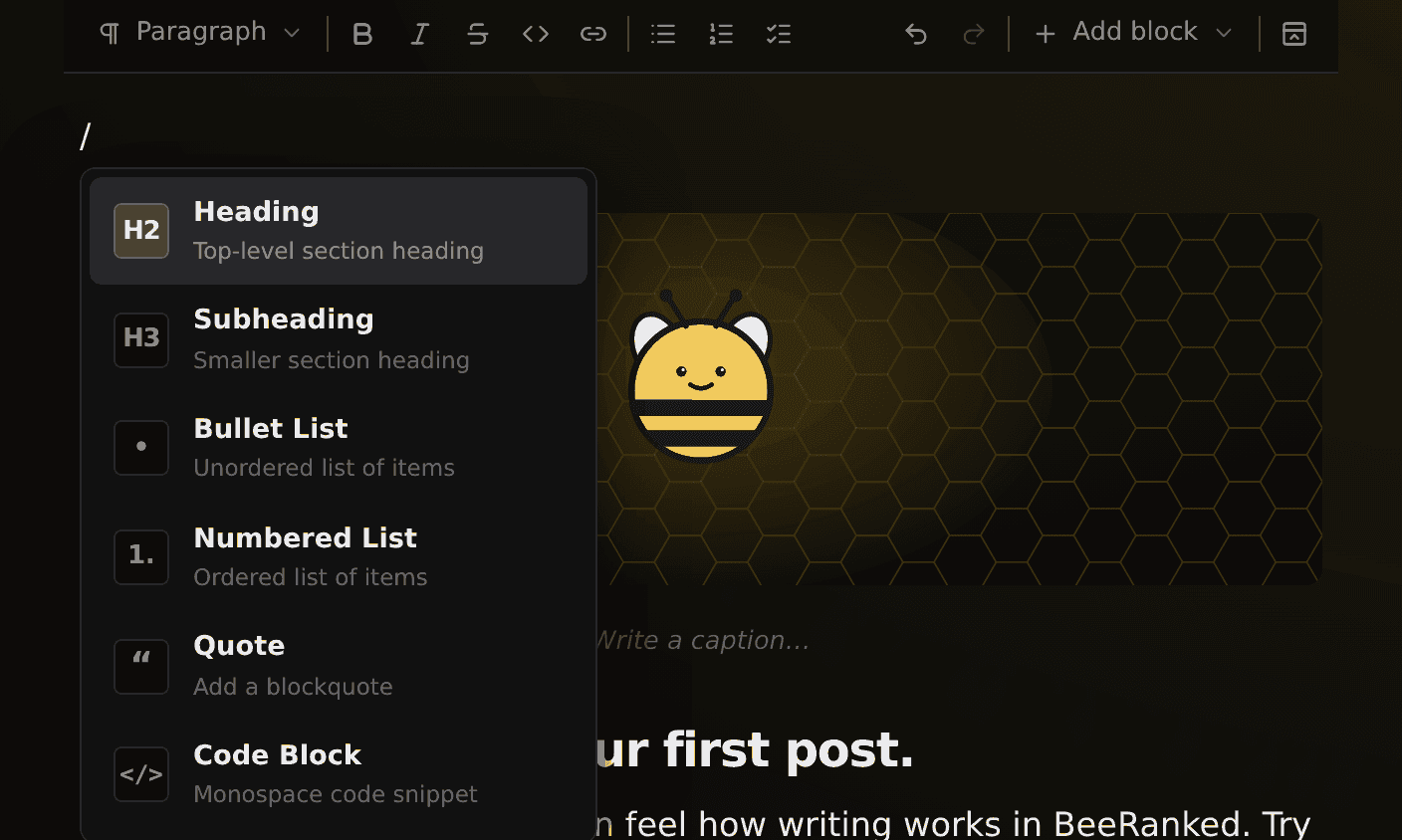
Type
**/**anywhere to insert a block: images, videos, code, callouts, infoboxes, tables, and more.Select text to make it bold, italic, or a link.
To add a link, type it markdown style,
[your text](https://example.com), and it becomes a real link automatically.Use headings to structure the page. They build the table of contents and help search engines understand what the page is about.
Do not worry about getting it perfect. You can keep editing after it is published.
Optimize for search
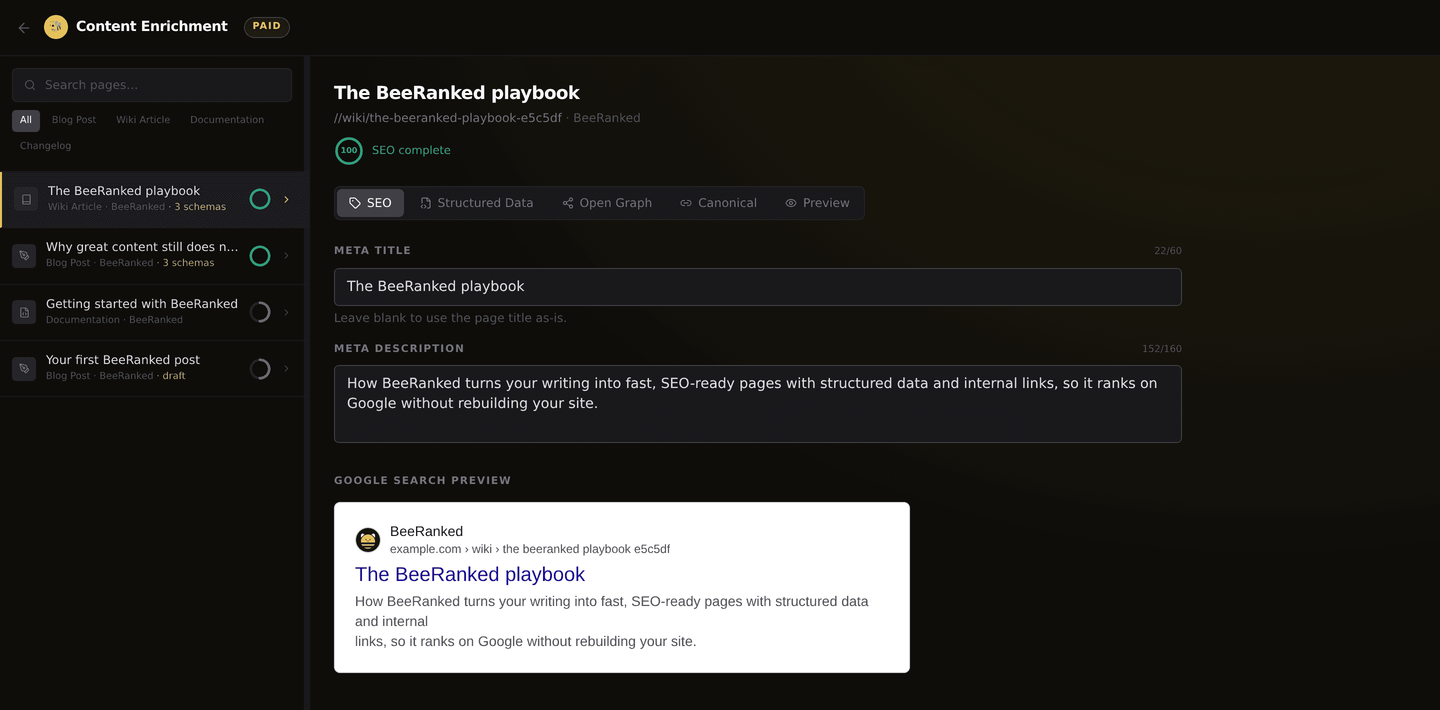
This is where BeeRanked earns its name. Open Content Enrichment and pick your page. Write the meta title and description yourself, or let BeeRanked suggest optimized ones for you, along with structured data, Open Graph tags, and a canonical URL. The live Google preview shows how your page will look in search results. Good metadata is what turns a page into traffic, so it is worth a minute here.
Preview
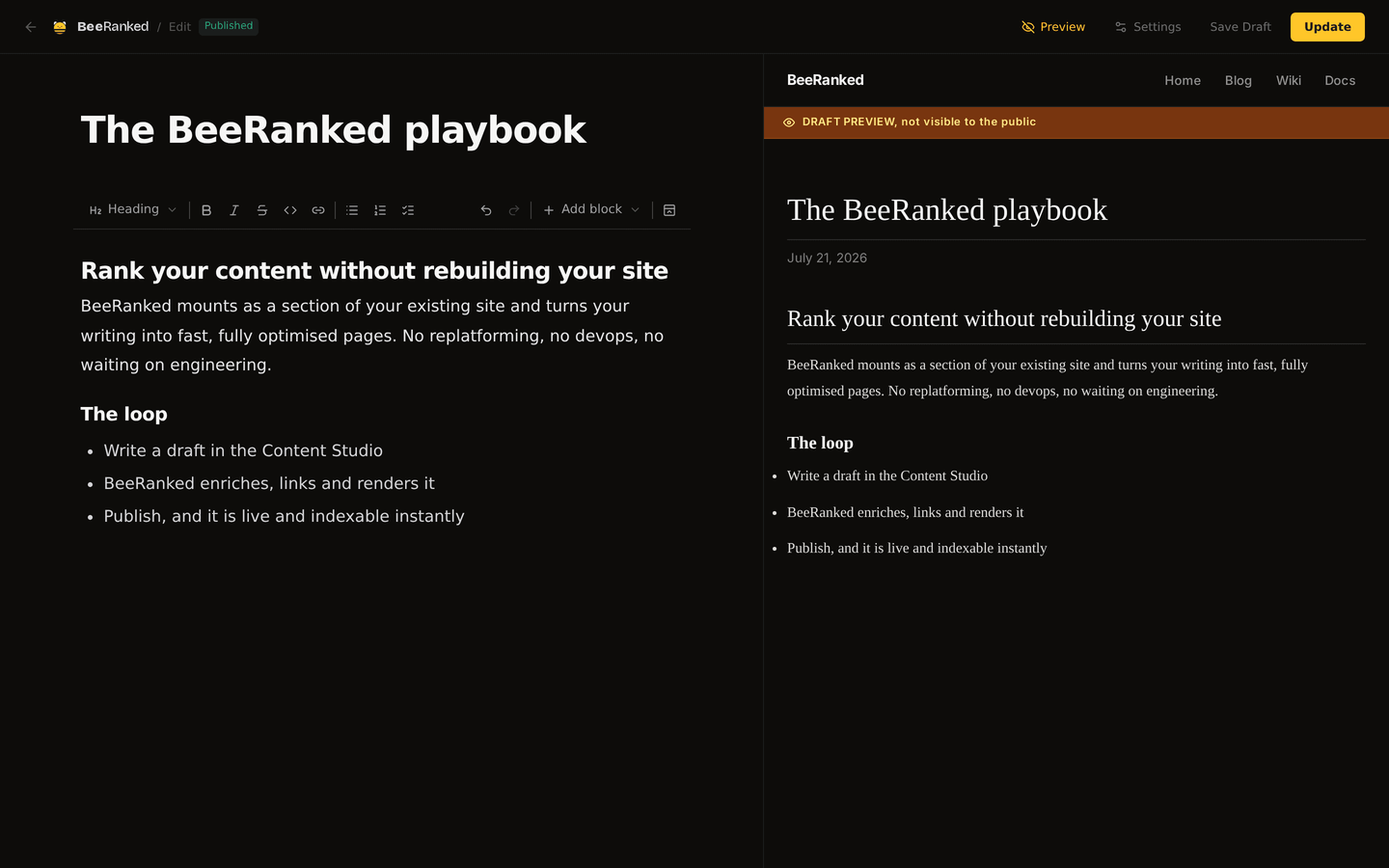
Click Preview to see your page as it will appear live, with the real layout and styling, right beside the editor. Drafts are clearly marked "not visible to the public," so previewing is always safe.
Publish
Happy with it? Click Publish (or Update if it is already live), and your page goes live immediately at your site's address.
If you are not sure where your site lives yet, see Get your content live: hosting and domains.
Want it to go out later? Use Schedule to set a date and time, and BeeRanked publishes it for you.
What's next
Publish a few more pages to build momentum. Search engines reward fresh, consistent content.
Group related pages with categories so visitors and crawlers can browse them.
Set your goals so the dashboard can track your cadence and progress.
That is the whole loop. Everything else in BeeRanked builds on these same five steps.
Want to try this on your own site?
Everything in this guide runs from one studio: connect your domain, publish, and the SEO side is done for you.