Content hub examples: ten hubs that rank, and what their structure does
By BeeRanked · October 26, 2026
A content hub is the part of a site where the articles live: a blog, a help centre, a tutorial library, a changelog. The ones that rank share a few habits of structure, and those habits are easier to see on real pages than to describe. So we fetched the index page of ten well-known hubs on 23 September 2026 and read the HTML: the URL pattern of an article, the sections in the navigation, whether there is a search box and a way to subscribe, and how many articles the front page carries. Everything below is what those pages contain. What a hub is, and why one is worth having, is in Content hub.
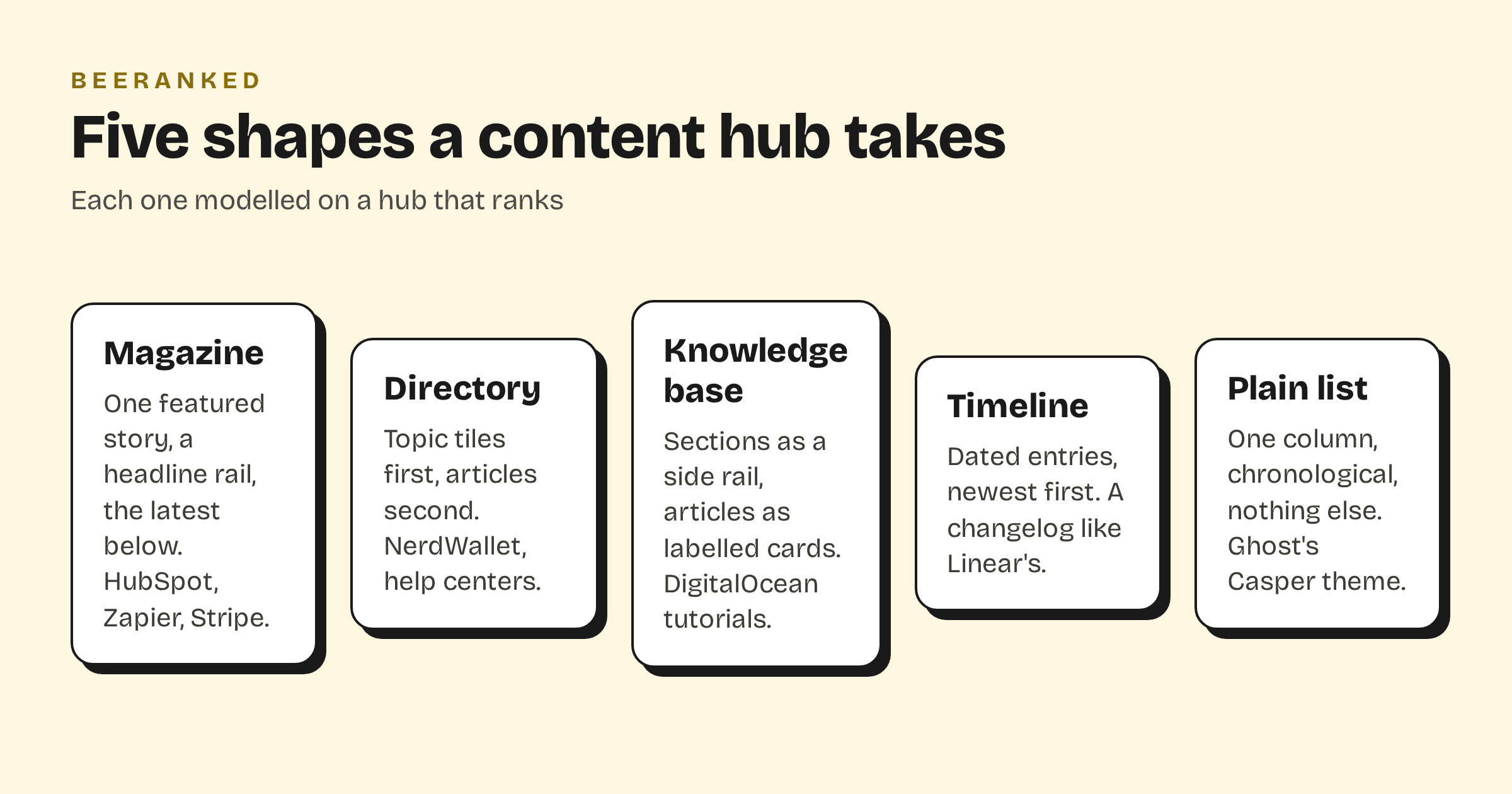
Magazine fronts
Five of the ten are magazines: one featured story, a rail of headlines, then the latest posts by section. They differ in where the section lives.
HubSpot puts it in the address. Every post sits at blog.hubspot.com/<section>/<slug>, with four sections (marketing, sales, service, website), and the front page is one block per section, each ending in a link such as "See more marketing articles". The index carries 28 article links, a search box and a subscription form with one checkbox per newsletter. A reader, or a crawler, always knows which of the four blogs a post belongs to.
Ahrefs keeps a flat URL, ahrefs.com/blog/<slug>/, and puts the structure in a grouped menu: 15 categories under five headings (SEO, Marketing, Data & Studies, AI Search, Product Updates). Its self-description sits on the page with the proof next to it: "Tips, insights, and real-world strategies to level up your SEO, content, and digital marketing", beside "284K subscribers", "322K monthly search traffic" and "35.8K top 10 rankings". There is no search box.
Zapier goes two levels deep: eight group pages, then 18 category pages, all as navigation while the URL stays /blog/<slug>/. The index has 25 article links, no search, and the subscription form three times over. Webflow has eight categories, two search forms and only 13 article links on its front page, under the heading "Stories, insights, and advice". Stripe has four sections (Corporate, Engineering, Industry, Product), each block ending in "View all Product posts", 23 links, no search, and a subscribe form.
Directories
NerdWallet is a directory before it is a blog. The top navigation is nine topics (Credit cards, Banking, Home, Loans, Insurance, Personal finance, Investing, Small business, Taxes), each panel a list of specific pages ending in "Explore more credit card resources", and the home page carries 102 article links, most of them in that menu. The URL carries the topic and the intent: nerdwallet.com/<topic>/<learn|best>/<slug>, so a guide and a "best of" page under the same topic are told apart by their address. There is a search box and no newsletter form.
Intercom's help centre is the same shape for a product. Fifteen topic tiles open the page, each with a one-line summary and an article count (Fin AI Agent 160, Outbound 138, Inbox 114), and the HTML holds the whole tree: 941 article links and 173 collection links in a sidebar. Articles live at /help/en/articles/<id>-<slug>. The only self-description is four words: "Great service changes everything."
A knowledge base
DigitalOcean's tutorial library at /community/tutorials/<slug> is the biggest of the ten by its own count; the page's meta description reads "Follow along with one of our 8,000+ development and sysadmin tutorials." Its index page, though, carries zero tutorial links in the HTML: the list is rendered by script, and the pattern above comes from the Atom feed the page links in its head, which lists 100 entries. The same is true of Apple's newsroom, whose grid is drawn by script and whose feed carries the 20 latest items. Both hubs work for a visitor with a browser; anything that reads the HTML as sent, a crawler on its first pass or an agent fetching a page, sees an empty list and has to find the feed.
A timeline
Linear's changelog is a timeline: 14 entries shown in full on the index, each under a date and split into product-area labels (Projects, Views, Initiatives, Triage), at /changelog/<yyyy-mm-dd>-<slug>. The page has no form and no input at all; subscription is by RSS and JSON feed, and the changelog sits inside a "Now" section whose sub-navigation reads All, Changelog, Product launches, From the team, From the community, Press.
Photo-forward fronts
Serious Eats leads with pictures and a claim: "Good Cooks Know How. Great Cooks Know Why.", with "7,000+ Rigorously Tested Recipes" and "9M+ Monthly Readers" in a strip beside it. Every address on the site follows one pattern, <slug>-<numeric id>, for articles, recipes and section pages alike. The menu is Recipes, How-Tos, World Cuisines, Ingredients, Equipment and Features, each opening a sub-menu with a "View All" link, and there are two search forms. Apple's newsroom uses dated addresses, /newsroom/<yyyy>/<mm>/<slug>/, tags each item as a press release, an update, photos or a quick read, and links more than forty regional newsrooms.
What the ten have in common
The section is visible. It sits in the URL (HubSpot, NerdWallet, Linear's dates) or in the navigation (Zapier, Ahrefs, Stripe), never only in a tag cloud.
The index is a front page. Most carry between 13 and 28 article links; the archive is one click away, behind "See more", "View all" or "Explore more".
Subscribing is easy where attention is the business. Seven of the eleven pages read have an email form; Linear and Apple offer feeds; NerdWallet and Intercom, which sell something else, have none.
Search is optional. Six of the eleven have a search input on the page; the rest rely on navigation or a dialog.
Two of them hide their list from anything that is not a browser. DigitalOcean and Apple render their indexes with script; their HTML carries no article links.
Building one on your site
BeeRanked's hub layouts are modelled on these pages. The Studio's template gallery names the model for each one: Editorial after HubSpot's blog, Ledger after Ahrefs, Studio after Zapier, Gallery after Webflow, Broadsheet after Stripe, Journal after Serious Eats, Directory after NerdWallet, Atlas after DigitalOcean's tutorials, Chronicle after a changelog like Linear's, Helpdesk after help centres like Intercom's, and Showcase after Apple's newsroom. You pick the shape; the sections come from your categories and content types, the index is rendered HTML with every link in it, and the sitemap and feed are written for you. How to add a blog to the website you already have covers putting the hub under your own domain, and Topic clusters and pillar pages covers what to fill it with.