How to add a blog to the website you already have
By BeeRanked · October 12, 2026
You have a website that does its job, and you want a blog on it for the search traffic. The question is where the blog should live and how it gets there without rebuilding what already works. Both questions have a documented answer, for sites built on a website builder and for sites you host yourself.
Why the blog should be on your own domain
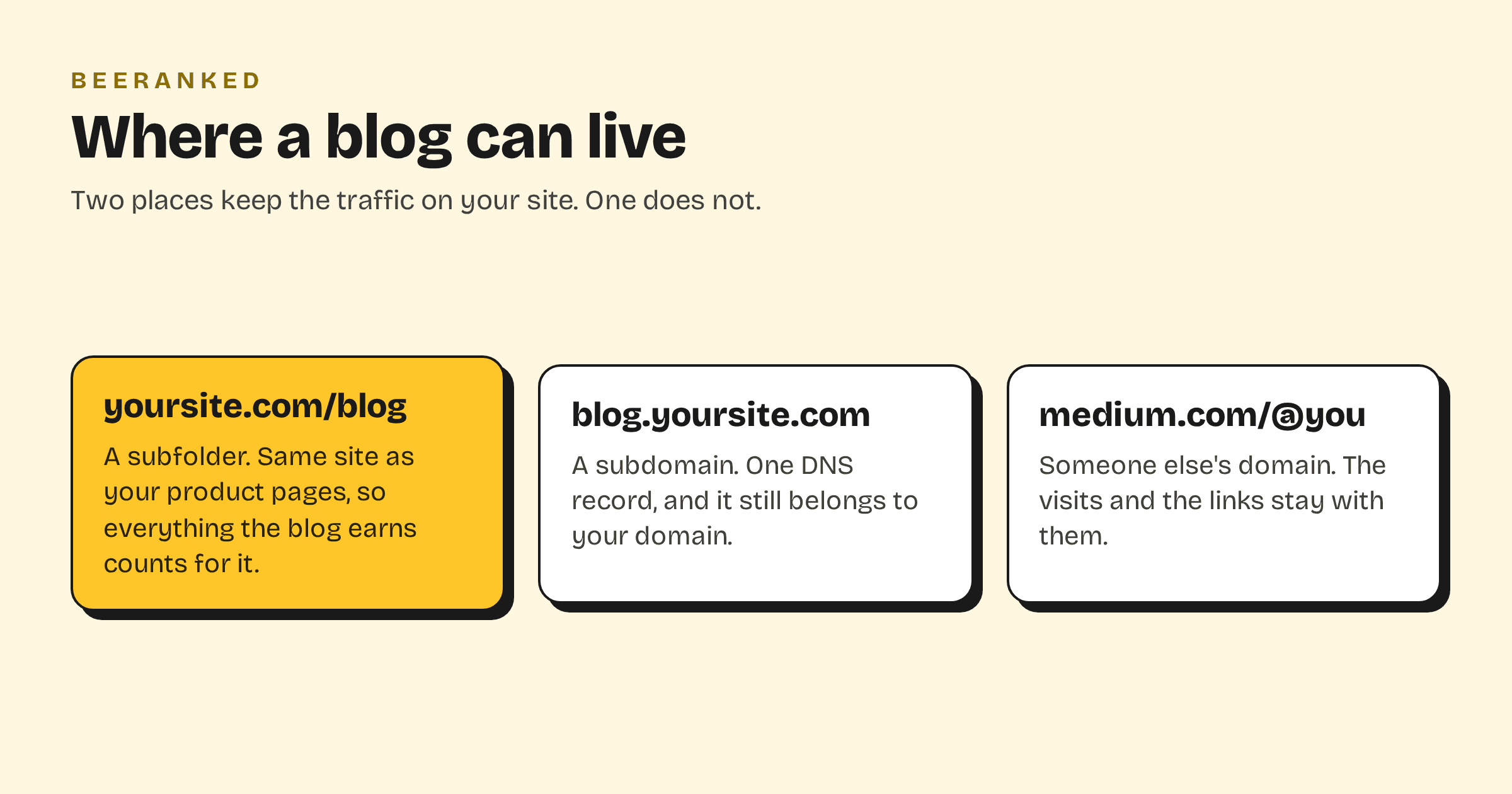
The reason to add a blog is that each article can rank for a question your customers type, and send that reader to your site. If the blog lives on someone else's domain, the search visits, the links and the ranking history belong to that domain. Medium and Substack are quick to start on, and everything you earn there stays there.
On your own domain, every article adds to a site that already has some standing. That is why the choice below is between two places on your domain, and the third option is listed only to explain why it costs you.
Subfolder or subdomain
A subfolder is yoursite.com/blog. A subdomain is blog.yoursite.com. Google can crawl, index and rank both, and its own comparison lists the trade-off for multi-regional sites in plain terms: subdirectories are "Easy to set up" with "Low maintenance (same host)", while subdomains "Allow different server locations" and "Easy separation of sites" (Google Search Central).
The practical difference is where the value lands. Content in a subfolder sits on the same site as your product pages, so the links it earns count for that site without any further work. A subdomain can be linked into the main site and then works well too. We compared the two in Subdomain or subfolder for your blog. If you can choose, choose the subfolder; if your platform decides for you, a subdomain is a good second.
What your platform lets you do
The website builders decide this for you, because they own the web server your site runs on.
Framer. A rewrite rule can serve
example.com/blogfrom another Framer project, and only from a Framer project on a paid plan. A blog built elsewhere goes on a subdomain. Framer's own guide to running your site behind a reverse proxy applies when you already have one, and that proxy can also route a blog path.Webflow. Webflow's help centre documents a subdirectory setup such as
example.com/blogonly through a proxy you manage yourself, and adds that "Webflow does not configure or support third-party proxies". Without one, the blog goes on a subdomain, which Webflow supports on any paid site plan.Shopify. A store has a built-in blog at
/blogs/, and its URL prefix is fixed. An outside blog can be linked from the navigation, mounted under/apps/through a Shopify app proxy, or put on a subdomain.Squarespace. A blog page is built in, and the help centre also documents "creating a subdomain for your blog or store" on the same domain.
Wix. Wix Blog is built in, and Wix's subdomain guide covers pointing a subdomain at "an external (non-Wix) website, resource, or blog".
Canva, Carrd and Adobe Portfolio. None of the three has a blog feature, and none documents a subfolder; each documents connecting a subdomain at your domain host, which is where the blog goes. The pages for Canva, Carrd and Adobe Portfolio quote what each vendor says.
GoDaddy. The website builder has a blog built in, with categories and scheduling, and no documented per-post title, description or feed. Add a blog to a GoDaddy website compares it with a separate section on a subdomain.
Your own server, or a framework host. If your site runs behind nginx, Caddy, Apache or Traefik, or on Vercel, Netlify or Cloudflare with rewrite rules, you control the paths, and a subfolder is one rule away.
Each of these has its own page in this series with the exact steps, starting with Framer.
What the blog itself needs
Whichever address you pick, the blog has to do four things to earn its keep. It has to serve fast, clean HTML that search engines and AI crawlers can read. It has to carry the right structured data so an article is understood as an article. It has to keep its URLs stable and redirect the ones that change. And it has to link to your product pages, so the reader has somewhere to go. Our SEO checklist lists these in the order that matters, and Content types that earn search traffic covers what to write.
How BeeRanked does it
BeeRanked is a content section that attaches to the site you have. There are four ways to put it live, and you can switch between them later:
Stay on BeeRanked. Your content is live the moment you publish, at an address like
sites.beeranked.online/your-brand-content. Nothing to set up.Your own subdomain, with one DNS record. Add a CNAME for
content.yoursite.compointing atconnect.beeranked.online, and we issue the certificate.A subfolder through your existing proxy. If your site runs behind a web server or a host with rewrite rules, paste the one block we generate, and
yoursite.com/resourcesserves the content under your domain.A subfolder, self-hosted. Our agent pulls the published pages onto your own server and keeps them in sync.
The first option is on every plan, free included; serving on your own domain is a paid feature. The steps for each are in Get your content live: hosting and domains. Whatever you choose, every page comes with its structured data, an automatic sitemap, managed redirects and translations, which is the list from the section above, done once.
Where to start
If you have a website builder, set up a subdomain today and start publishing; you can still move to a subfolder later, and BeeRanked creates the redirects when you do. If you run your own server, go straight to the subfolder. Either way, the first article can be live this week, and Publish your first page takes a few minutes.