beehiiv alternative for a blog on your own domain
November 18, 2026
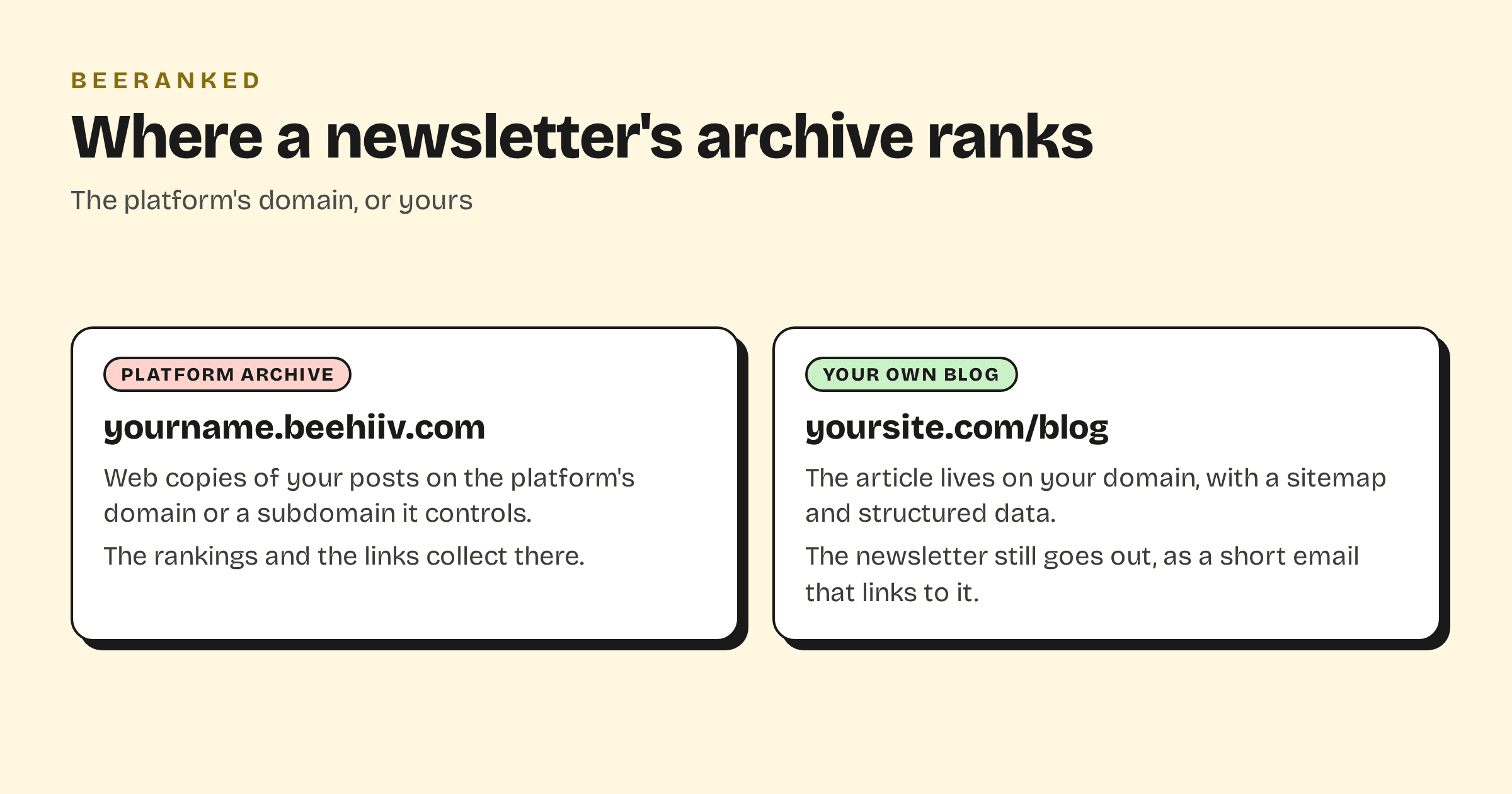
beehiiv is a newsletter tool first. It sends well, it hosts a web copy of every post, and it recommends putting that web copy on a subdomain such as newsletter.yoursite.com. If the reason you write is search traffic, that subdomain is the thing to look at, because the articles, the links they earn and the rankings they build sit there and nowhere else on your site. Below, beehiiv is compared with Substack, Ghost(Pro), Kit, Buttondown and BeeRanked on the one question of where the archive lives, with every claim taken from the vendors' own pages, read on 11 October 2026.
What beehiiv gives the web copy of a post
beehiiv includes a website on every plan. Its pricing FAQ says: "Website, podcast, community, and digital products are included on every plan. What changes as you move up is limits, support, and advanced features - not which products you can use" (beehiiv pricing). The default address is a beehiiv subdomain, "in the format of [your-publication.beehiiv.com]" (beehiiv glossary).
A custom domain is listed as "Plan : All Paid Plans" in the help centre, and the help centre's advice on where to put it is specific: "if your main domain is already in use (like for your company website), use a subdomain such as newsletter.domain.com" (beehiiv help). The FAQ on domains says why: "a single domain can't point to two different websites at once" (beehiiv help). We found no beehiiv page that documents a subfolder, such as yoursite.com/blog.
The SEO settings cover the basics: a "Discoverable on the web" toggle, a meta title and description per site, a post schema type (Article, News Article or Blog Post) and "an automatically generated site map" (beehiiv help). Per-post schema choices are reserved: "if you are on a Pro or Enterprise plan, you have access to more detailed AEO settings."
Paid plans at the 1,000-subscriber position on the pricing page are Lite at $49 a month and Pro at $95 a month with yearly billing; the FAQ puts month-to-month paid plans at "$59/month" and up. Leaving is a CSV: "Post content and information you've collected about your subscribers can easily be exported as a .csv file", with download links "valid for 24 hours" (beehiiv help). No HTML or image export is documented.
The same question for the other newsletter tools
Substack charges "a one-time $50 fee per publication" for a custom domain (Substack announcement), connected with a CNAME, which again means a subdomain. Substack's cut of paid subscriptions is "10% of each transaction" plus Stripe's fees. The archive and what Substack documents about SEO are covered in Substack to your own domain.
Ghost(Pro) is the one newsletter platform with a documented subfolder, and the small print matters: running "on a subdirectory, like example.com/blog" requires "customers to run their own self-hosted reverse proxy with a custom configuration" and "is a $50/month addon only available on our Ghost(Pro) Business plan", which is $199 a month billed yearly (Ghost pricing). Starter is $18 and Publisher $29 a month billed yearly, both on a root domain or a subdomain.
Kit hosts a "newsletter site", described in its help centre as "a mini website featuring your bio, posts, products, and other content" with "up to three custom pages", on a custom domain or subdomain (Kit help). Kit is free up to 10,000 subscribers; Creator is $33 a month billed yearly. A changed slug does not redirect: "Users of the old URL slug will see a 404 error page."
Buttondown hosts archives at buttondown.com/username by default; a custom domain for the archive is a CNAME to a subdomain, "Available on the Standard plan" (Buttondown docs), listed on the pricing page as "Archives on a custom domain +$29/month". Every archive page declares a canonical URL, and the archives stay online if you cancel (Buttondown archives).
Does a subdomain cost you anything?
Google's written position, in the SEO starter guide, is to "do whatever makes sense for your business" (Google Search Central). John Mueller said on a 2018 office-hours video that "we see these the same" and added "I would personally try to keep things together as much as possible", as reported by Search Engine Journal. Both can rank, and the practical difference is where the links land: an article in a subfolder adds to the site your product pages are on, while an article on a subdomain builds a second site that you then have to link into. Subdomain or subfolder for your blog has the longer version.
The writers asking about this in public are asking the same thing. One Hacker News poster, moving old posts off Substack, wrote: "I want Google to treat my blog as the primary source going forward" (Hacker News). An Indie Hackers reply to a newsletter-domain question put the alternative in one line: "andreas.com/newsletter This helps a bit with SEO" (Indie Hackers).
Side by side
| Feature | beehiiv | Substack | Ghost(Pro) | Kit | Buttondown | BeeRanked |
|---|---|---|---|---|---|---|
| Web archive on your domain | Subdomain, paid plans | Subdomain, $50 once | Root or subdomain; subfolder on Business + $50/mo | Custom domain or subdomain | Subdomain, Standard plan | Subfolder or subdomain, paid plans |
| Sends the newsletter | Yes | Yes | Yes | Yes | Yes | No |
| Sitemap and schema | Sitemap, site-level schema | Sitemap "as your publication grows" | Yes | SEO settings per page | Canonical per page | Sitemap, per-page schema, redirects |
| Posts export | CSV | Zip | CSV members; posts via Ghost tools | Not documented for posts | Not documented | Markdown, HTML |
| Entry price for your domain | $49/mo yearly | $50 once, free plan | $18/mo yearly | $33/mo yearly | $29/mo | $49/mo yearly |
Keep the sending, move the writing
BeeRanked does not send email. If a sender is what you need, pick one of the five above. What BeeRanked does is host a blog section on the site you already have: at yoursite.com/blog through a proxy rule you paste, at blog.yoursite.com through one DNS record, or at a BeeRanked address on the free plan. Each article is published as finished HTML with its structured data, a sitemap entry, a canonical URL and a redirect whenever its URL changes. How to add a blog to the website you already have covers the mount, and Get your content live has the steps.
The working setup for a newsletter writer is two tools in a fixed order. Write the article on your site first. Then send the newsletter from the tool you already use, as a short email that links to the article, so the full text has one home and the platform's web copy does not compete with it. Your archive comes across with the content importer, which reads a publication's sitemap and feed and turns each post into a draft for you to review, with the title, the date and the images. Standard is $49 a month billed yearly or $59 month to month, and serving on your own domain is included on paid plans (BeeRanked pricing).
If your newsletter is the product and the archive is a courtesy, stay where you are; beehiiv's subdomain is fine for that. If the archive is meant to rank for what people search, put it on your own site and let the newsletter point at it.