Add a blog to an Astro or static site
By BeeRanked · November 4, 2026
Astro and the other static site generators produce files, and files cannot forward a request. A blog written inside the project means a build and a deploy for every post, and a content collection someone maintains. The alternative is to mount a hosted blog under a path and let the host, the part of the stack that answers HTTP, forward that path. Where the forwarding lives depends on the host, and each host documents it; the quotes below were read in September 2026.
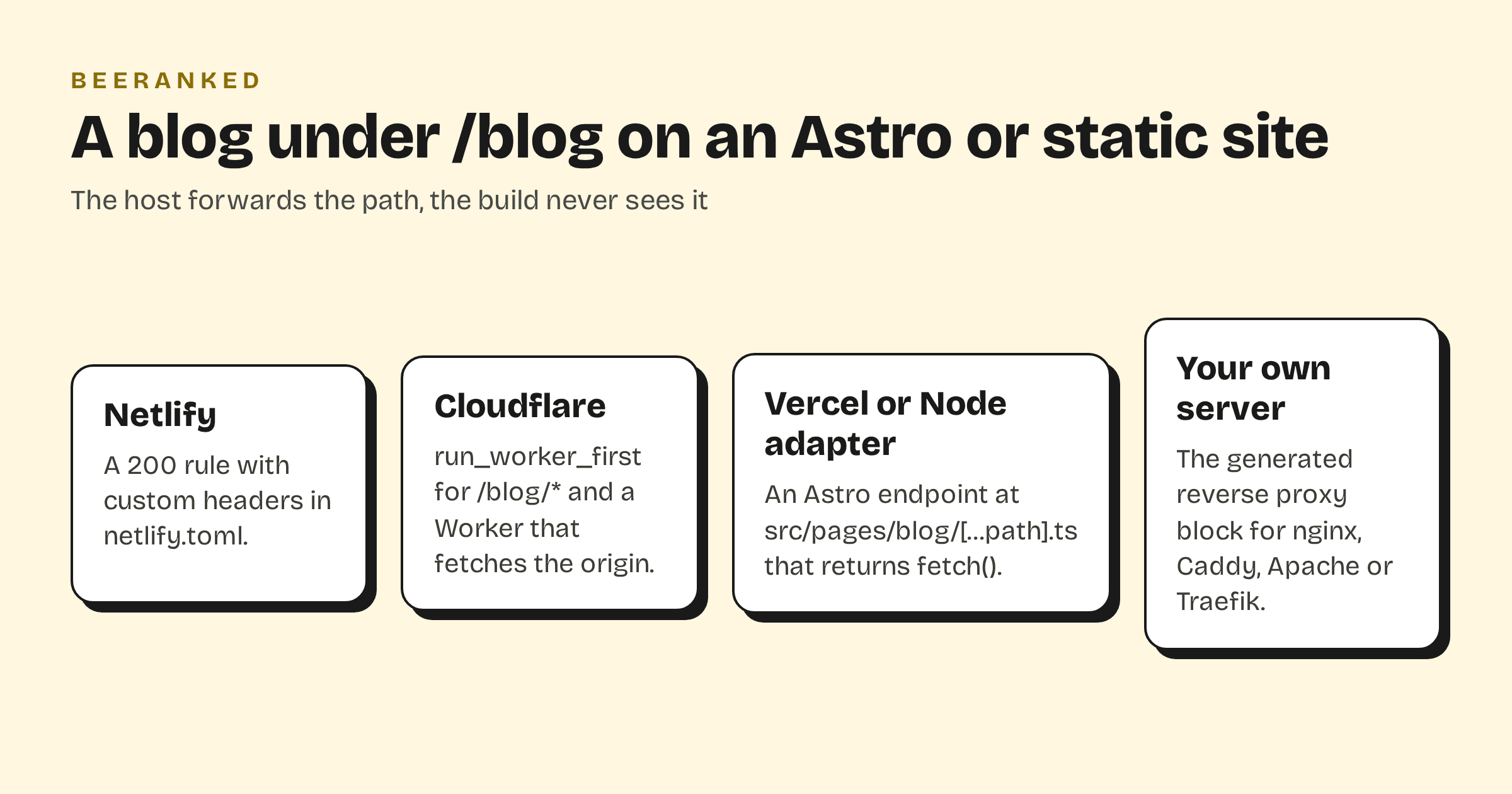
What Astro itself can and cannot do
Astro has rewrites, and they stay inside the project. The routing guide says "A rewrite allows you to serve a different route without redirecting the browser to a different page" and, for the case that matters here, "If the URL does not exist in your project, a 404 status code will be returned." So Astro.rewrite() cannot point /blog at another origin. Redirects can go outside since Astro 5.2 ("it is also possible to redirect to external URLs"), but a redirect changes the address bar, which is the opposite of a mount.
Middleware and endpoints run "at build time for all prerendered pages", and on request only for on-demand pages, which need an adapter: "Astro maintains official adapters for Node.js, Netlify, Vercel, and Cloudflare." That list, plus any server you run yourself, is where the forwarding can live.
What the mount needs
BeeRanked's subfolder mount forwards one path to the BeeRanked origin with three request headers: your domain, the mounted path, and a connector key. With those, every page comes back written for yoursite.com/blog, canonical URL, sitemap entry and internal links included. The origin, the key and a ready-made block for Caddy, nginx, Apache or Traefik are in Settings, then Connect your site, then Subfolder (Get your content live: hosting and domains). Each host has its own form of it.
Netlify
A redirect rule with status 200 is a proxy: "When you assign an HTTP status code of 200 to a redirect rule, it becomes a rewrite", and for rules in the configuration file "you can add a map with custom headers for your proxy redirects, and Netlify will send the custom headers to another website with every request". In netlify.toml, next to the Astro site:
[[redirects]]
  from = "/blog/*"
  to = "https://origin.beeranked.online/:splat"
  status = 200
  force = true
  headers = {X-Beeranked-Host = "yoursite.com", X-Beeranked-Base-Path = "/blog", X-Beeranked-Connector-Key = "your-key"}
Netlify's limits from the same page: "Proxy rewrite requests will time out after 26 seconds", and "By default, you can't shadow a URL that actually exists within the site", which force = true overrides, so do not also build a /blog page in Astro.
Cloudflare
Cloudflare's _redirects file cannot do this: "Proxying will only support relative URLs on your site. You cannot proxy external domains." The documented route is code in front of the assets. With Workers static assets, "If you want the Worker code to execute before serving assets, you can use the run_worker_first option", set to the blog path in the Wrangler config:
"assets": {
  "directory": "./dist/",
  "binding": "ASSETS",
  "run_worker_first": ["/blog/*"]
}
and a Worker that returns fetch() of the origin, with the three headers, for that path and env.ASSETS.fetch(request) for everything else, the shape of Cloudflare's advanced-mode example. On Pages the same code goes in _worker.js.
Vercel, or the Node adapter
Vercel's rewrites reach external origins, but the rewrite object has no field for request headers, so for Vercel and for the Node adapter the forwarding is an Astro endpoint. Astro's endpoints guide: "If you opt in to SSR mode, custom endpoints turn into live server endpoints that are called on request", and in a static project "you must opt out of prerendering for each custom endpoint with export const prerender = false". A file at src/pages/blog/[...path].ts:
// src/pages/blog/[...path].ts
export const prerender = false;
const ORIGIN = import.meta.env.BEERANKED_ORIGIN;
const HEADERS = {
  "X-Beeranked-Host": "yoursite.com",
  "X-Beeranked-Base-Path": "/blog",
  "X-Beeranked-Connector-Key": import.meta.env.BEERANKED_KEY,
};

export async function GET({ params, url }) {
  const upstream = await fetch(`${ORIGIN}/${params.path ?? ""}${url.search}`, { headers: HEADERS, redirect: "manual" });
  const headers = new Headers();
  for (const name of ["content-type", "cache-control", "location"]) {
    const value = upstream.headers.get(name);
    if (value) headers.set(name, value);
  }
  return new Response(upstream.body, { status: upstream.status, headers });
}
The rest of the site stays prerendered; only /blog runs on request. On Vercel that is a function, with Vercel's own limit: "The maximum payload size for the request body or the response body of a Vercel Function is 4.5 MB", which a page of HTML never approaches, and BeeRanked serves images resized as AVIF or WebP, which keeps each request small.
Your own server
If nginx, Caddy or Apache already serves the built files, or fronts Astro's Node adapter, use the block BeeRanked generates for it and leave the project alone. It is the shortest of the four.
After the mount
Open yoursite.com/blog and view the source: the canonical URL, the sitemap link and every internal link must use your domain and the /blog path. Then put the blog in the site's navigation and link to it from the pages that fit. If you would rather not touch the host at all, a subdomain needs one DNS record: Subdomain or subfolder for your blog has the trade-off, and How to add a blog to the website you already have the wider picture.