Add a blog to a Next.js or React site
By BeeRanked · October 30, 2026
A React site is usually a product: an app, a marketing site built by the same team, or both. A blog written inside it means a content pipeline in the codebase, a deploy for every post, and a developer's time for every template. The alternative is to mount a hosted blog under a path, so the site forwards /blog to it and the codebase never learns what a post is. Where that forwarding lives depends on the host, and each host documents it; the quotes below were read in September 2026. The React team's own advice, for what it is worth here, is that "If you want to build a new app or website with React, we recommend starting with a framework", and Next.js is the first one it lists.
What the mount needs
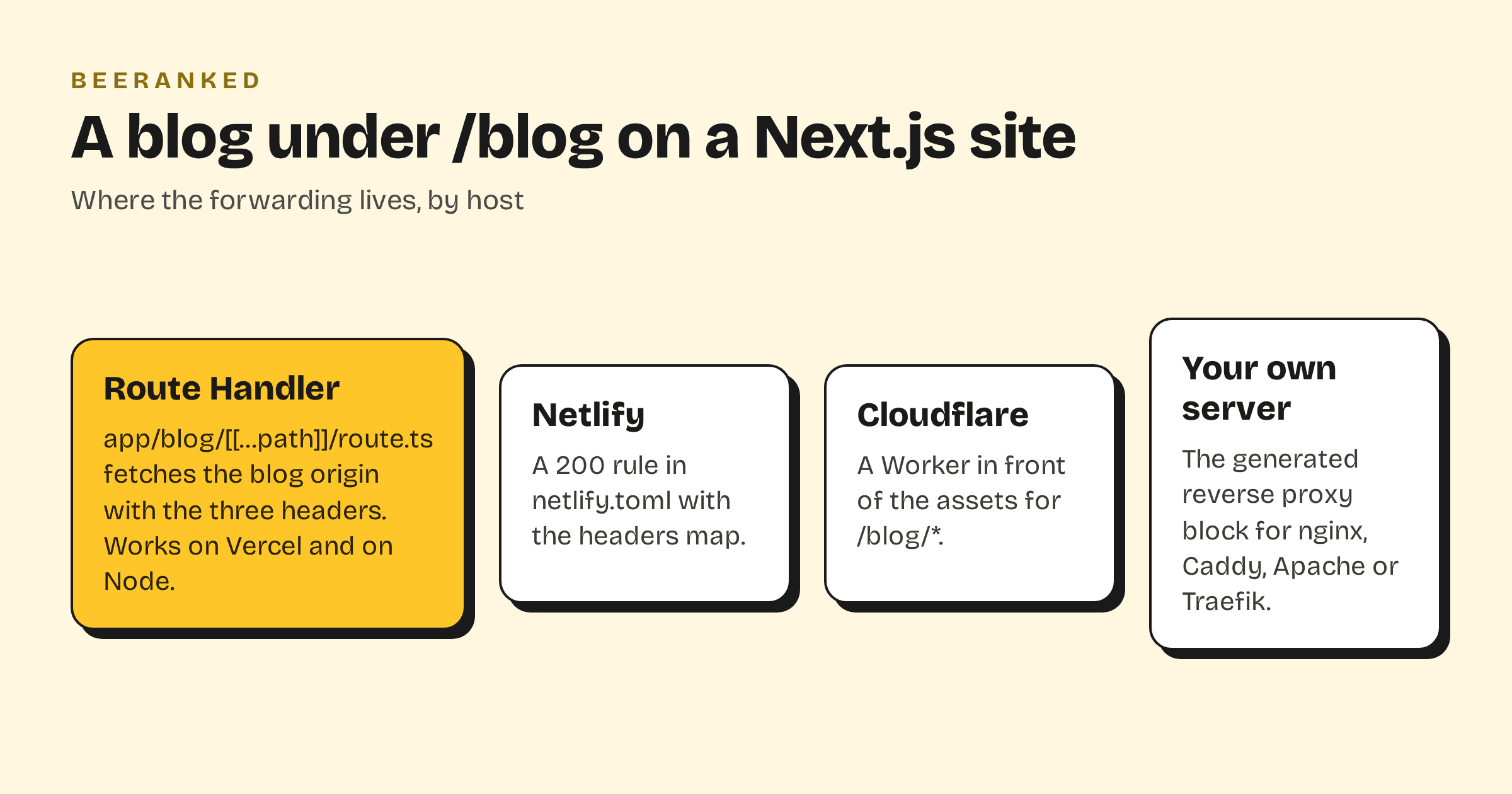
BeeRanked's subfolder mount forwards one path to the BeeRanked origin, and the request carries three headers: your domain, the path you mounted, and a connector key. With those, every page comes back written for yoursite.com/blog, canonical URL, sitemap entry and internal links included. You get the origin, the key and a ready-made block in Settings, then Connect your site, then Subfolder; Get your content live: hosting and domains has the overview. The block is written for Caddy, nginx, Apache and Traefik. The places a Next.js site tends to run each have their own form of it.
Next.js rewrites, and why they are not enough on their own
The Next.js documentation describes rewrites as a proxy: "Rewrites act as a URL proxy and mask the destination path, making it appear the user hasn't changed their location on the site." They may point outside the app ("Rewrites allow you to rewrite to an external URL"), and the docs' own example is a blog under /blog. Two details from the same page apply to any blog: /blog/:slug "matches /blog/first-post and /blog/post-1 but not /blog/a/b (no nested paths)", so use /blog/:path*; and "If you're using trailingSlash: true, you also need to insert a trailing slash in the source parameter."
The rewrite object has no field for request headers, and the three headers above are how the origin knows which site is asking, so a bare rewrite to the BeeRanked origin serves nothing useful, and the fix is one file in the app.
A Route Handler, on any host
Next.js Route Handlers "allow you to create custom request handlers for a given route", and a handler at app/blog/[[...path]]/route.ts answers /blog and everything under it (the double brackets make the segment an optional catch-all). It forwards the request with the headers and returns the response as it came:
// app/blog/[[...path]]/route.ts
const ORIGIN = process.env.BEERANKED_ORIGIN!;
const HEADERS = {
  "X-Beeranked-Host": "yoursite.com",
  "X-Beeranked-Base-Path": "/blog",
  "X-Beeranked-Connector-Key": process.env.BEERANKED_KEY!,
};

export async function GET(req: Request, { params }: { params: Promise<{ path?: string[] }> }) {
  const { path = [] } = await params;
  const url = new URL(req.url);
  const upstream = await fetch(`${ORIGIN}/${path.join("/")}${url.search}`, { headers: HEADERS, redirect: "manual" });
  const headers = new Headers();
  for (const name of ["content-type", "cache-control", "location"]) {
    const value = upstream.headers.get(name);
    if (value) headers.set(name, value);
  }
  return new Response(upstream.body, { status: upstream.status, headers });
}
Put the origin and the key in environment variables, deploy, and yoursite.com/blog serves the blog. On Vercel this runs as a function, and Vercel's limits apply: "The maximum payload size for the request body or the response body of a Vercel Function is 4.5 MB." A page of HTML is far below that, and BeeRanked serves images resized as AVIF or WebP, which keeps each request small. On a Node server or in Docker the same file works unchanged.
Netlify, without touching the app
If the site is on Netlify, the mount can live in the platform instead. Netlify's rewrites and proxies page: "When you assign an HTTP status code of 200 to a redirect rule, it becomes a rewrite", and for configuration-file rules "you can add a map with custom headers for your proxy redirects, and Netlify will send the custom headers to another website with every request". In netlify.toml:
[[redirects]]
  from = "/blog/*"
  to = "https://origin.beeranked.online/:splat"
  status = 200
  force = true
  headers = {X-Beeranked-Host = "yoursite.com", X-Beeranked-Base-Path = "/blog", X-Beeranked-Connector-Key = "your-key"}
Two Netlify limits to know: "Proxy rewrite requests will time out after 26 seconds", and "By default, you can't shadow a URL that actually exists within the site", which force = true overrides.
Cloudflare Workers
Cloudflare's _redirects file will not do it: "Proxying will only support relative URLs on your site. You cannot proxy external domains." The documented route is a Worker in front of the assets, using run_worker_first for the blog path, and a fetch() of the origin with the headers for that path and env.ASSETS.fetch(request) for everything else. The shape is Cloudflare's own advanced-mode example with the /api/ branch replaced by /blog/.
Your own server
If a reverse proxy already fronts the site, use the block BeeRanked generates for it and leave the app alone. It is the shortest of the four, and it is the one BeeRanked can verify for you from Settings.
After the mount
Open yoursite.com/blog and view the source. The canonical URL, the sitemap link and every internal link must use your domain and the /blog path; that is what the headers buy you. Then add the blog to the site's navigation and link to it from the pages that fit, so search engines read the section as part of the site. If you would rather not touch the host or the app at all, a subdomain needs one DNS record: Subdomain or subfolder for your blog has the trade-off, and How to add a blog to the website you already have the wider picture.