Documentation SEO for SaaS
By BeeRanked · September 1, 2026 · Updated September 12, 2026
Ask a SaaS team about their SEO and they will show you the blog. Ask their users how they found the product and a surprising number will mention a documentation page: a setup guide, an integration how-to, a page that answered the exact error message they searched.
Documentation is search content, and most companies never treat it that way.
Why docs earn searches blogs cannot
Docs match intent exactly. Blog posts compete on broad questions where a hundred sites have an opinion. Documentation answers narrow, specific questions: "how to connect X to Y", "what does this setting do", "why am I seeing this error". The searcher wants steps, and a well-titled doc page is the correct result. This is the long tail we describe in how to find topics worth ranking for, and docs are its natural home.
Docs demonstrate experience by existing. Google's guidance on helpful content asks whether a page shows first-hand depth and expertise. Documentation written by the people who built the product is that, without any performance.
Docs reach people at the highest intent. Someone reading your integration guide is either a user or about to become one. A docs page that ranks for "how to do X with Y" reaches a buyer at the moment the alternative is choosing a competitor whose guide ranked instead.
There is a second win: every support question answered by a public doc page is answered for the next thousand people who search it.
What docs need to rank
Documentation fails in search for structural reasons:
One page per task, with the task in the title. A single giant "Docs" page ranks for nothing. "Connect your custom domain" can rank for that.
A real internal link structure. Google is direct about this: "Every page you care about should have a link from at least one other page on your site." A sidebar that links every doc, plus an index grouped by section, gives crawlers and readers the same map. That is internal linking at work.
Structured data that says "this is technical reference". Marking docs up as TechArticle with breadcrumbs tells search engines what kind of page they are looking at.
Metadata that is filled in. Docs pages are where meta descriptions get forgotten, and then the snippet Google shows is the first navigation label it found.
How BeeRanked treats documentation
In BeeRanked, Documentation is its own content type. Docs get a grouped sidebar you control (sections and ordering), an index page built from it, TechArticle and breadcrumb structured data on every page automatically, and the same SEO tooling as every other page: meta fields, categories, redirects when URLs change.
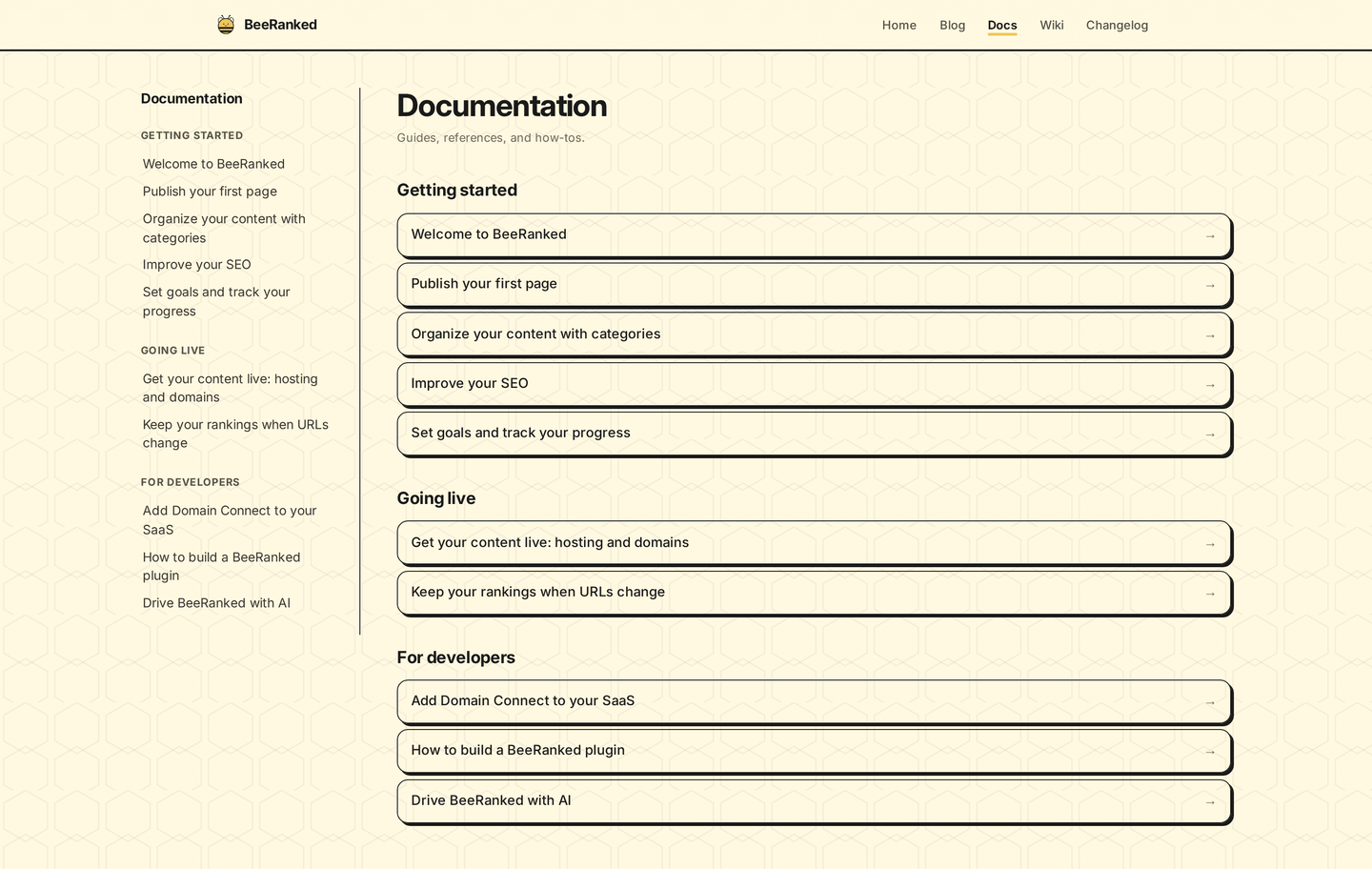
That screenshot is our own docs, running on the same system we sell. Writing a doc page takes the same editor as a blog post; the structure, navigation, and markup come with the type.
Where to start
Pull up your support inbox and find the five questions you answer most. Write one doc page per question, titled the way a user would search it, and link them from a docs index. You will have built the highest-intent content on your site, and unlike the support inbox, it compounds.