Add a blog to a Carrd site
By BeeRanked · November 10, 2026
Carrd is "Simple, free, fully responsive one-page sites for pretty much anything" (Carrd), and the one page is the point. A blog is the thing people keep asking for on the Carrd subreddit, in threads about a consultancy site that wants a blog section, about getting a Bear Blog to show at mysite.com/blog, and about paying $19 a year for Carrd and then $40 a month for a blog (r/Carrd, November 2025). Carrd's documentation gives the shape of the answer, and it costs a lot less than $40 a month. Every Carrd fact below is from carrd.co, read on 11 October 2026.
What Carrd gives you, and what it does not
There is no blog feature in Carrd's docs. The only mention of a blog in the whole documentation is in the article on redirects, as an example of sending visitors somewhere else: "a shortcut that redirects /blog to a Medium blog" (Carrd docs). That line tells you how Carrd expects a blog to be handled: outside Carrd, with the one-page site pointing at it.
Custom domains "Requires Pro Standard or higher" (Carrd docs). The plan table on the Pro page lists Pro Standard at "$ 19 / year" with "Custom Domain URLs", and Pro Plus at "$ 49 / year", which adds "Redirects", "Site Files" and "Canonical URL" among others (Carrd Pro). The records go at your domain provider: "These will "point" the domain to the Carrd site and usually need to be set up over at your domain provider", an A record on @ and a CNAME on www.
A subfolder is out. Carrd's redirects are 301s ("All redirects are handled as 301 redirects"), which send the visitor to another address; nothing in the docs serves content from another service under a path of a Carrd site, and Carrd hosts the site itself, so there is no proxy of yours in front of it. The Embed element can hold "custom HTML, CSS, and even Javascript code" and an IFRAME of "content from other sites" (Carrd docs), which puts a window to a blog on the page. The articles behind that window still live, and rank, on the other domain.
The setup Carrd's docs point at
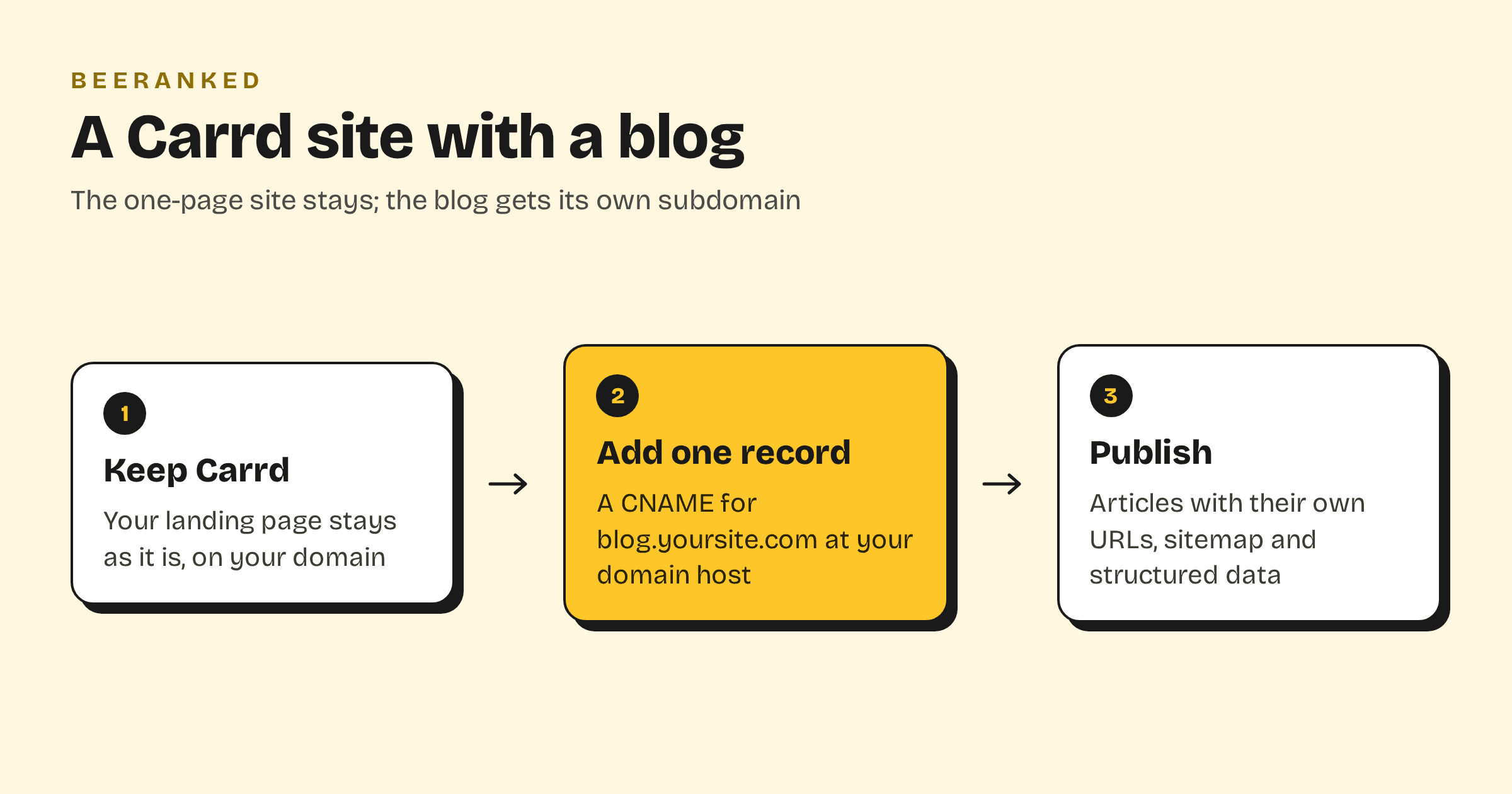
The blog goes on a subdomain of your domain, and the Carrd site stays as it is. If you are on Pro Plus, a redirect makes yoursite.com/blog work as an address too.
In BeeRanked, open Settings, then Connect your site, and choose Subdomain. Type blog.yoursite.com.
At your domain provider, next to Carrd's A record on
@, add a CNAME namedblogpointing atconnect.beeranked.online, DNS-only. The two records do not interact.When the status flips to Ready, usually within minutes, click Set as active. BeeRanked issues and renews the certificate.
In Carrd, add a link to blog.yoursite.com in the site's navigation or a button. On Pro Plus, you can also add the redirect
/blog/*=https://blog.yoursite.com/*, using Carrd's own wildcard syntax from the redirects article, so an old or shared /blog link lands on the right article.Link back to the Carrd page from the articles, so the two halves read as one site.
Each article then has its own URL on your domain, a sitemap entry, structured data and a canonical tag, and BeeRanked creates a redirect for you whenever a URL changes. Serving on your own domain is a paid BeeRanked feature at $49 a month billed yearly; the free plan publishes at a BeeRanked address, which is the place to start if you are still deciding (BeeRanked pricing). The steps for each option are in Get your content live.
Why the subdomain is the right answer for a Carrd site
Carrd's job is a fast single page: a profile, a waiting list, a product teaser. A blog is a different kind of thing. It needs an archive, categories, one URL per article, a sitemap that grows, and a title and description per page. Adding that to a one-page builder would make it a different product, and Carrd has chosen to stay small. A subdomain keeps both tools doing what they are good at, and the blog keeps its URLs if you later move the landing page to something else.
Google's written guidance on subdomains versus subdirectories is to "do whatever makes sense for your business" (Google Search Central). The longer discussion is in Subdomain or subfolder for your blog. For a Carrd site, the subdomain is the route that exists.
The wider guide, with every builder side by side, is How to add a blog to the website you already have.