Add a blog to a Canva website
By BeeRanked · November 9, 2026
Canva Websites builds pages, and it builds them well: a landing page, a portfolio, an event page, a link-in-bio site. What it does not build is a blog, and the search results for "add a blog to a Canva website" are forum threads and embed tricks because Canva's own help centre has no answer. There is a clean one. Every Canva fact below comes from Canva's help centre, read on 11 October 2026.
What Canva Websites is, in Canva's words
The help centre describes the product as a way to "Create, publish, and manage responsive websites without coding, right inside the Canva editor", and lists what people make with it: "one-page websites like landing pages, event pages, newsletters, portfolios, classroom hubs, and bio link websites" (Canva help). Multi-page sites "support up to 45 pages", each with "up to 20 sections if you're on a paid plan". A page is a design, and no Canva Websites help article mentions posts, categories, a feed or an archive.
Canva does market a "blog website builder" (Canva). The templates on that page are blog-styled bio-link and personal-site designs, and the page says what the feature is: "build your own business, food, or personal blog website design in just a few clicks". It is the same page builder with a different template set. If your blog is three articles that never change, that works. If you plan to publish every week, you need something that stores posts.
A custom domain is a paid feature: "using a custom domain and publishing unlimited websites is only available to Canva Pro, Canva Teams, and Canva Education users". On the free plan, "a 'Designed with Canva' footer will appear at the bottom of your published website" (Canva help).
Why a subfolder is out, and why that is fine
A blog at yoursite.com/blog needs something in front of the site that can send one path to another server. Canva hosts the site itself from an A record you point at its servers, and it tells Cloudflare users to "turn off proxy records for any records we've instructed you to set" (Canva DNS settings). Nothing in Canva's documentation serves a path from another service, and with the proxy off you cannot add that layer yourself.
Canva does document the alternative, in the article on connecting your own domain: "if you own a domain (e.g., example.com), you have the option to connect a subdomain (e.g., blog. example.com) which is a subsection of your domain or website. This way, you can use and make changes to the main website without affecting the subdomain" (Canva help). The same mechanism works in the other direction: the Canva site stays on yoursite.com, and a subdomain of your choice goes to the blog.
The embed route, and what it costs you
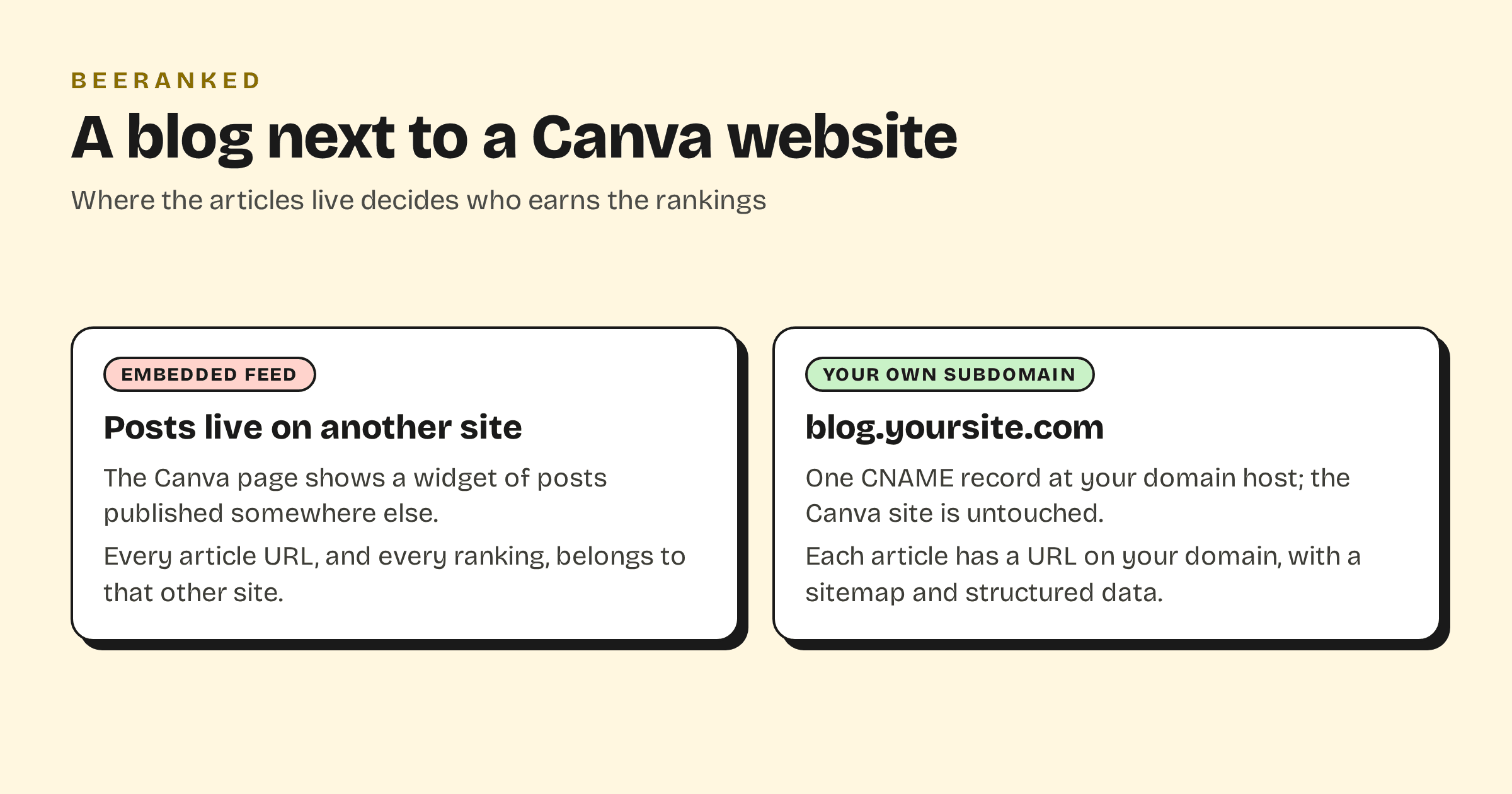
The question people ask in the Canva subreddit is whether a feed from Medium or another blog can be embedded in a Canva page (r/canva, March 2024). Canva's Embeds app lists what it takes: "Bitmoji", "Dropbox", "Facebook", "Google Maps", "Instagram" (Canva help). No RSS or blog feed is on the list. Even where a third-party widget manages it, the result is a window onto articles that live on someone else's domain. The URLs, the links other sites give them and the rankings all belong to that domain. Make content rank on your domain is the short version of why that matters.
Add the blog on a subdomain
The Canva site stays as it is. The blog takes one DNS record at the place your domain is registered, the same place Canva's own records live.
In BeeRanked, open Settings, then Connect your site, and choose Subdomain. Type the name you want, for example blog.yoursite.com.
At your domain host, add the record BeeRanked shows you: a CNAME named
blogpointing atconnect.beeranked.online. Leave it DNS-only. Canva's A record on@and this CNAME onblogdo not touch each other.Leave the page open. When the record is visible and the certificate is issued, usually within minutes, the status flips to Ready. Click Set as active.
In Canva, add a navigation link or a button to blog.yoursite.com, and link back to your Canva pages from the articles.
BeeRanked issues and renews the certificate and serves the pages from its edge. Each article gets its own URL, a sitemap entry, structured data and a canonical tag, and a redirect is created for you if a URL ever changes. Serving on your own domain is a paid BeeRanked feature; the free plan publishes at a BeeRanked address, which is enough to start writing today. The full steps for every option are in Get your content live.
Which to choose
Keep the blog inside Canva if it is a handful of pages you edit by hand and you are already on Canva Pro for the domain. Put it on a subdomain if you will publish regularly, if each article needs its own title and structured data, and if you want the archive to outlive whatever you build the main site with next. The trade-off between a subdomain and a subfolder, and what Google has said about it, is in Subdomain or subfolder for your blog; for a Canva site the subdomain is the one route that is open.
The wider guide, with Framer, Webflow, Shopify, Squarespace, Wix and the other builders side by side, is How to add a blog to the website you already have.